Workflow discovery
We map what happens now, who is involved, where information starts, and where the delays occur.
Custom web applications
When spreadsheets, email, and off-the-shelf software create more work, a focused web application can bring the important parts into one clear place.
Less duplicate work. Fewer workarounds. Clearer information.
Tell us what you need
Who this is for
This service is for teams with a repeatable process that has outgrown spreadsheets or generic software. It is especially useful when people enter the same information more than once, struggle to see current status, or change how they work just to satisfy an inflexible app.
Common problems
What is included
We map what happens now, who is involved, where information starts, and where the delays occur.
We identify the smallest useful version and avoid features that do not support the core job.
Screens, permissions, information, and states are designed together so the tool stays understandable.
We build the working product with secure, maintainable technology suited to its actual use.
Where practical, we connect existing services and plan how current data moves into the new workflow.
We prepare handoff notes, help the team begin using the tool, and agree on ongoing improvements.
How the work moves
Learn the workflow from the people who actually do the work.
Choose the useful first release, data model, and success criteria.
Develop in small parts and test with realistic tasks and information.
Launch carefully, support adoption, and adjust from real use.
What you can expect
Project example
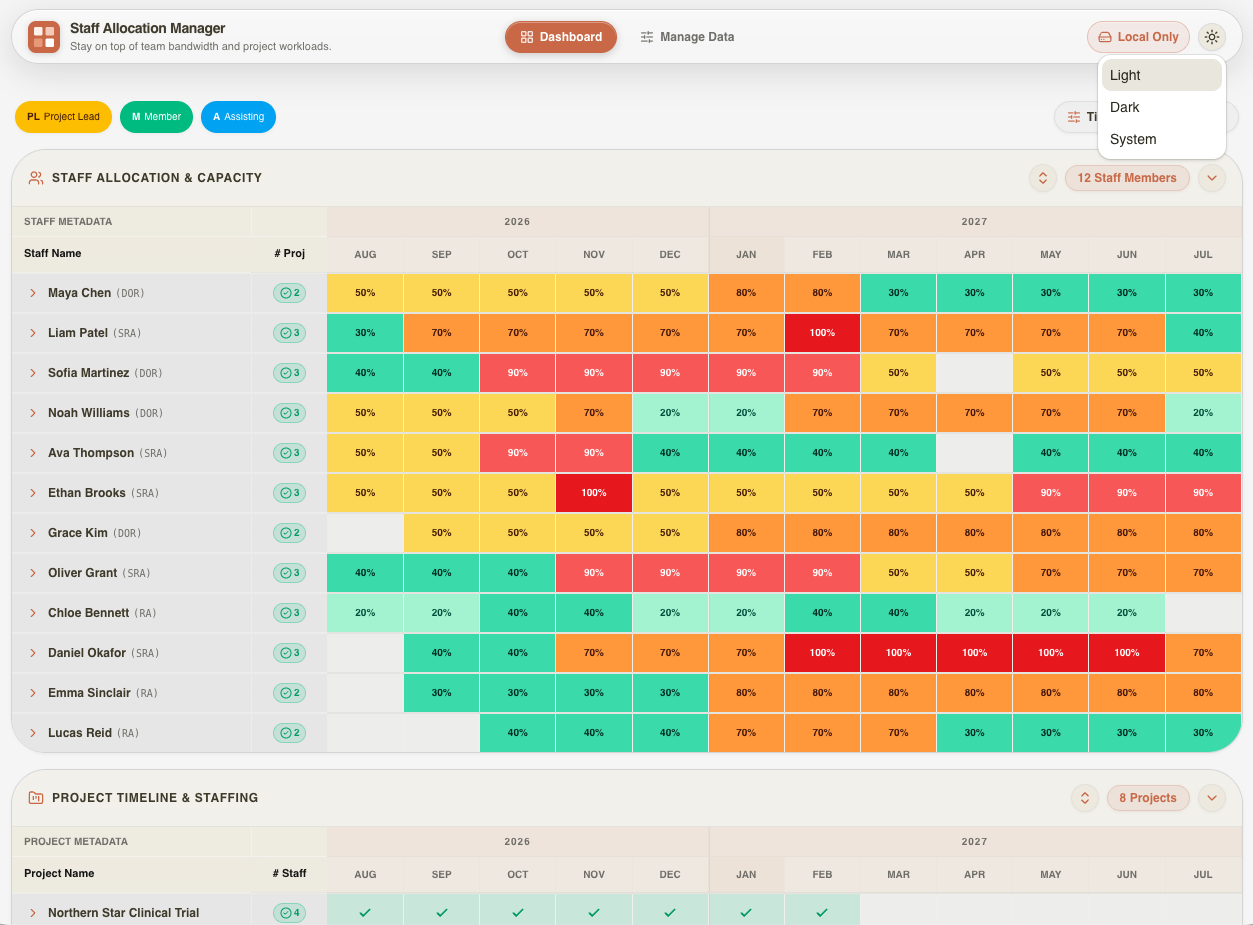
A focused web application that helps managers see workloads and plan capacity without passing spreadsheets back and forth.
Read the case studyCommon questions
Usually not all at once. We first look for the smallest gap worth solving and keep existing services where they already work well.
Often, yes. It depends on whether those systems provide secure and reliable integration options. We verify that before committing to the scope.
Security and privacy requirements are defined early. Access, hosting, backups, logging, and retention should match the sensitivity of the information and the risks of the workflow.
The interface should feel familiar because it follows your work, but a clear introduction and written handoff still help people use it consistently.
It depends on users, workflows, data, integrations, and operational risk. We begin with a focused discovery so the first estimate reflects the work instead of a generic package.
Start with the problem
You do not need a finished brief. Share what is happening now, what you want to improve, and who needs to use it.